Minecraft Adventure Mode is a special game mode focused on controlled gameplay mechanics, exploration, and story-driven experiences. In this mode, players cannot freely break or place blocks like Survival Mode or Creative Mode, forcing them to follow map rules, use specific tools, and progress exactly as the creator intended.
Adventure Mode is commonly used for custom maps, puzzles, parkour challenges, survival dungeons, and roleplay worlds, where strategy and exploration matter more than resource gathering.
Gameplay Mechanics in Minecraft Adventure Mode
Limited Block Interactions
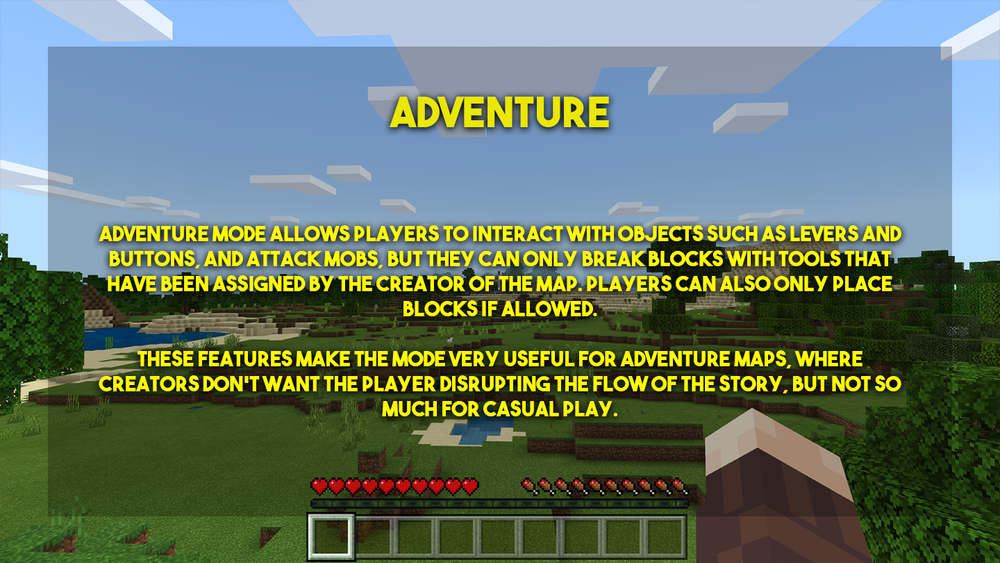
In Adventure Mode, you cannot break or place most blocks unless you are holding a tool that has the CanBreak or CanPlaceOn tag.
This prevents players from destroying map structures or skipping puzzles.
Focus on Exploration & Quests
Adventure Mode encourages you to:
-
Follow paths and clues
-
Interact with NPCs or signs
-
Solve puzzles and parkour
-
Fight mobs using assigned gear
-
Complete quests or storylines
You experience the world exactly how the map maker intended.
Tool-Specific Interactions
Some tools allow special actions:
-
A pickaxe may be allowed to break only one type of block
-
A shovel may only remove specific blocks
-
A sword may be required to defeat mobs
This creates controlled gameplay, perfect for custom map design.
Why Is Adventure Mode Important?
1. Protects Map Design
Creators spend hours designing puzzles, lore, traps, and structures.
Adventure Mode ensures players cannot break or skip the intended experience.
2. Enhances Gameplay & Storytelling
Adventure maps feel like real adventures because:
-
You follow a narrative
-
You uncover clues
-
You complete objectives
-
You progress in order, not by breaking blocks
This mode brings structure and purpose to Minecraft gameplay.
3. Perfect for Custom Maps
Adventure Mode is widely used for:
-
Puzzle maps
-
Parkour maps
-
Story-based RPG worlds
-
Dungeon challenges
-
Escape rooms
-
Server-based mini-games
It offers creators full control over how the player experiences the world.
Tips for Playing Better in Adventure Mode
Follow Signs & Clues
Adventure maps often leave hints through books, signs, dialogue, or item descriptions.
Pay attention — clues guide you toward puzzles and objectives.
Manage Your Items Carefully
Items are not infinite and cannot be replaced easily.
Every tool, weapon, or key you receive is important.
Work With the Environment
Look for:
-
Hidden paths
-
Buttons or levers
-
Pressure plates
-
Tripwire hooks
-
Secret doors
Maps often reward curiosity.
Read Map Instructions Before Starting
Many maps include:

-
A starting guide
-
Specific rules
-
Recommended difficulty
-
Allowed resource packs
-
Story background
Following these makes the experience smoother and more enjoyable.
Benefits of Playing Adventure Mode
1. Encourages Critical Thinking
Players must solve puzzles, decode patterns, and make thoughtful decisions.
2. Teaches Problem-Solving Skills
Obstacles require players to think creatively and try multiple solutions.
3. Strengthens Teamwork
Many adventure worlds are built for multiplayer, encouraging group problem-solving.
4. Adds Challenge Without Survival Grind
You focus on exploring and solving tasks instead of gathering resources.
Conclusion
Minecraft Adventure Mode offers a structured, story-driven experience perfect for players who love puzzles, quests, and exploring handcrafted worlds. By limiting block interactions and focusing on objectives, it delivers gameplay that feels more like an adventure game than traditional Minecraft.
Whether you're solving escape rooms, jumping through parkour levels, or uncovering mysterious storylines, Adventure Mode brings new depth and excitement to Minecraft.