Creative Mode is one of Minecraft’s main game modes and is designed purely for building and imagination. Unlike Survival Mode, where you have to gather resources and stay alive, Creative Mode removes all survival challenges and gives you:
-
Infinite blocks and items
-
The ability to fly
-
No health, hunger, or damage
-
Instant block breaking
This makes it ideal for players who want to focus on designing structures, testing ideas, or exploring what’s possible without any limitations.
How Does Creative Mode Work?
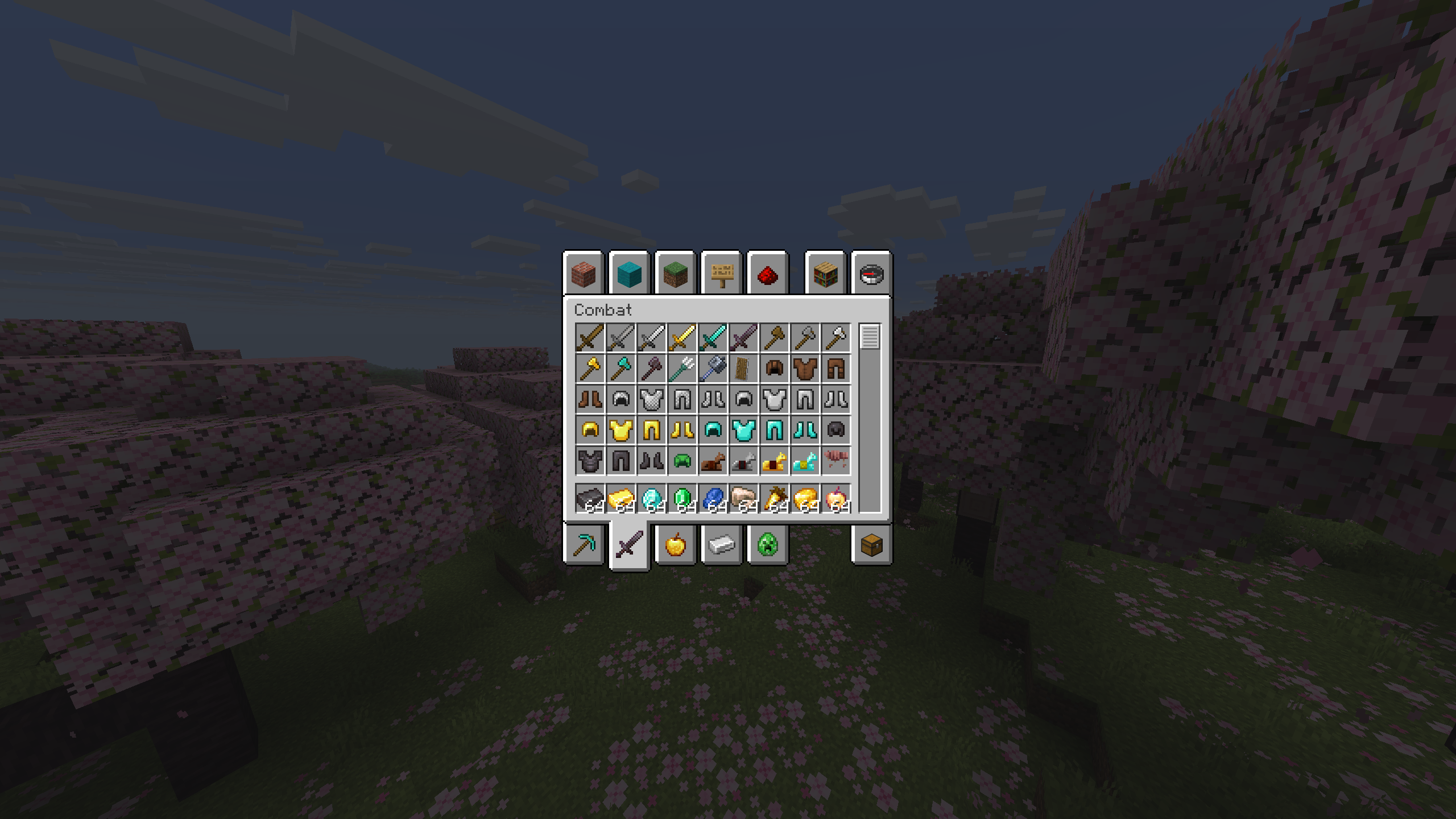
In Creative Mode, you start with full access to almost every block and item in the game through the inventory menu. You don’t need to mine, chop, or craft anything — you simply select what you want and place it.
Key features of Creative Mode:
-
Infinite resources:
No grinding or gathering. You can build instantly with any block. -
Flight:
Double-tap the jump key to fly. You can move freely in any direction and hover while building. -
Instant block breaking:
Blocks are removed with a single click, making edits and redesigns fast and easy. -
No damage or deaths:
You can’t be hurt by mobs, fall damage, lava, or explosions. The focus is purely on creativity.
Because of this, players can build anything they imagine:
from small houses to huge cities, redstone machines, custom maps, and detailed landscapes.
Why Is Minecraft Creative Mode So Special?
Creative Mode is like giving players a blank canvas with unlimited paint. It has become incredibly popular because it:
1. Removes Limits and Pressure
There’s no need to worry about hunger, mobs, or resource shortages. You can think only about design, structure, and ideas. This makes it relaxing and fun for both kids and adults.
2. Encourages Pure Creativity
Players can experiment with:
-
Building styles
-
Block combinations
-
Landscaping
-
Redstone concepts
You can test big ideas that would take hours or days to complete in Survival Mode.
3. Works Great in Multiplayer
In Creative Mode, friends can work together on:
-
Shared cities
-
Adventure maps
-
Mini-games
-
Huge monuments or themed builds
It becomes a collaborative canvas where everyone adds their own ideas.
4. Lets You Show Off Your Builds
Many players use Creative Mode to make showcase builds and then:
-
Share screenshots
-
Record videos
-
Upload worlds for others to download
It’s not just a game mode — it’s a way to share creativity with the community.
How to Get the Most Out of Creative Mode
If you want to make your time in Creative Mode more productive and fun, here are some practical tips.
Experiment With Different Blocks and Materials
Don’t just stick to wood and stone. Try:
-
Colored concrete and terracotta
-
Glass, slabs, and stairs for details
-
Leaves and plants for decoration
-
Lighting blocks like lanterns, glowstone, and sea lanterns
Mixing textures and colors helps your builds feel more alive and polished.
Build With Friends
Creative Mode becomes even better with other players. You can:
-
Divide tasks (one builds houses, another does terrain, another decorates inside)
-
Inspire each other with new design ideas
-
Finish large projects much faster
Multiplayer Creative worlds often turn into massive cities or themed worlds over time.
Share Your Creations
If you’re proud of your builds, don’t keep them to yourself:
-
Take screenshots and post them online
-
Record tours of your world
-
Upload your map so others can explore it
Sharing your builds can bring feedback, inspiration, and motivation to keep improving.
Get Inspired by Other Players
There are thousands of talented builders in the Minecraft community. You can:
-
Watch YouTube build tutorials
-
Browse Reddit, forums, and servers
-
Study others’ building styles and techniques
You don’t need to copy exactly — use what you learn as inspiration for your own style.
Set Goals and Projects
Having a clear goal keeps you focused and excited. For example:
-
Build a medieval village
-
Create a futuristic city
-
Rebuild a famous landmark
-
Design an adventure map or parkour course
Big projects give you direction and make your Creative world feel more meaningful.
Benefits of Playing in Creative Mode
Creative Mode isn’t just fun — it also has real benefits, especially for younger players.
1. Boosts Creativity and Imagination
With no limits, players are encouraged to think outside the box, try new designs, and imagine worlds that don’t exist yet.
2. Improves Problem-Solving Skills
Complex builds and redstone projects require planning, logic, and experimentation. Players learn to:
-
Break big ideas into smaller steps
-
Try multiple solutions
-
Fix mistakes and improve designs
3. Encourages Teamwork and Collaboration
When building with friends or family, players practice:
-
Sharing ideas
-
Dividing tasks
-
Communicating clearly
It becomes a fun way to work together on a shared goal.
Conclusion
Minecraft Creative Mode offers a relaxed, limitless way to enjoy the game. With infinite resources, the power to fly, and no survival pressure, it becomes the perfect space to build, experiment, and express yourself.
Whether you’re a new player or a long-time fan, Creative Mode is an amazing way to unwind, learn, and see just how far your imagination can go.